
CRM With a Client Portal: Let Clients See What Matters

The question I get most from consultancies moving off spreadsheets isn't about pipeline stages — it's "how do I stop emailing clients status updates by hand." A CRM with a client portal is the answer, and it's one of the features that actually changes how clients experience working with you, not just how your team manages data. This guide covers what it should include, how to keep internal notes actually internal, and how to roll it out without clients ignoring it.
Quick answer
A CRM with a client portal publishes a branded, login-protected view of a client's own project status, shared documents and visible tasks directly from your CRM data, with no separate export or sync delay. The critical requirement is a real separation between internal-only fields and client-visible ones, enforced by the system, not by staff remembering not to overshare.
What "CRM with a client portal" actually means
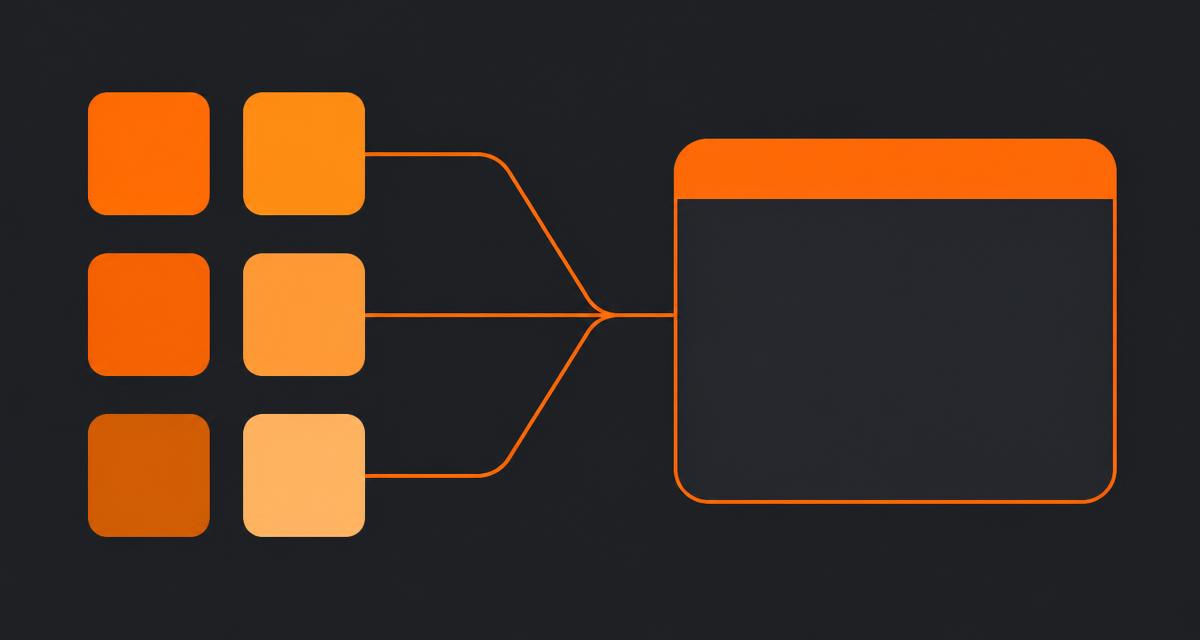
A client portal is a scoped view into your CRM, not a separate product. When a project status changes internally, the client sees it the moment it changes — no export job, no manual update to a status page. That's the meaningful difference between a CRM with a native portal and a CRM paired with a bolt-on portal tool that syncs hourly or daily.
The three things a portal should expose
- Project or engagement status. Where things stand, in language a non-expert client understands — not your internal task board vocabulary.
- Shared documents. Proposals, reports, deliverables — filed once against the client record and made visible, not re-uploaded to a separate share link. See CRM with document storage for how the filing layer underneath this works.
- Visible tasks or milestones. A short list of what's due next, so a client can see progress without asking for a call.
The separation that matters most: internal vs client-visible
This is where a badly built portal fails, and it's a design failure, not a training failure. Deal value, your internal margin notes, a competitor comparison you wrote for your own team — none of that should ever be one settings toggle away from a client's view. A properly built system marks fields as internal-only at the schema level, so there's no field a staff member could accidentally expose by ticking the wrong box on a shared board.
Test this yourself before rollout: log in as a client user and walk through every screen a client can reach. If you find anything you wouldn't want a client to see, that's a structural gap, not a training issue, and no amount of "just don't share that" policy will hold up under staff turnover.
Why clients actually use a portal, or don't
I've watched portal rollouts fail because the portal was a static status page nobody needed to check. Adoption improves sharply when the portal is the fastest way to get something the client actually wants:
- Approvals. If a deliverable needs client sign-off, put the approve button in the portal, not in an email thread that gets buried.
- Live status over stale reports. A client checking "is this done yet" gets an instant answer instead of waiting for your weekly update email.
- Downloads. Final files, invoices, contracts — a portal that's the single place to get them beats a client having to ask over email every time.
If none of your workflow depends on the client actively doing something in the portal, expect low usage. What is a client portal and why you need one goes deeper on the adoption side specifically.
Comparing your options
| Approach | How data flows | Cost pattern | Trade-off |
|---|---|---|---|
| CRM with native portal | Live, same database, no sync delay | Usually bundled into a mid/top CRM tier | Portal design is only as good as the underlying CRM's field permissions |
| CRM + dedicated portal add-on | Synced on a schedule or via API | CRM cost plus a separate $50-200/month add-on | An extra system to maintain, and a lag window where the portal can show stale data |
| Manual status emails / shared folder | Manual, whenever someone remembers | Free, but costly in time | No self-serve for the client; every update is a task for your team |
Client portal software for small business covers standalone portal tools in more depth if a native CRM portal doesn't fit your stack for some reason — for example if your CRM is deeply entrenched and a portal is the only piece you need to add.
Rollout: start with two friendly clients
Don't launch a portal to your whole client list at once. Pick two clients you have a good relationship with, invite them first, and watch what confuses them. In almost every rollout I've run, the first confusion is the same: clients don't know where to log in again after the first invite email. Fix that with a bookmarked link and a one-line reminder in your next status update, then roll out to everyone else.
A short launch checklist
- Audit every field visible to a client-role login before inviting anyone.
- Pick two friendly clients for a soft launch.
- Attach the portal login link to your existing onboarding email, not a separate announcement nobody reads.
- Give the portal at least one action the client needs to take — an approval or a download — not just a status page to glance at.
- Roll out to the rest of your client list once the two pilots go a week without a support question.
Data privacy matters here too — treat client-visible data with the same care you'd apply to any shared personal or business information. If you operate with UK or EU clients, the GDPR.eu guidance on data minimisation is a useful check: only expose what the client needs to see, not everything your CRM happens to store about them.
Where a CRM-native portal isn't the right fit
If you're running enterprise engagements with formal client extranets required by procurement, or your clients specifically mandate their own vendor management system, a CRM-native portal won't satisfy that contractual requirement — you'll need to integrate with their system instead. For the large majority of small B2B teams doing recurring delivery work, though, a portal built on the same CRM record your team already works in beats maintaining a second, disconnected client-facing tool. This is one of the modules covered in all-in-one CRM and project management as part of a single client record spanning pipeline through delivery.
Frequently asked questions
- What is a CRM with a client portal?
- It's a CRM where a subset of the client's own record — project status, shared documents, tasks marked visible — is published to a branded, login-protected view the client can access directly. It's built on the same data as your internal CRM, not a separate export.
- Is a CRM with a client portal safe? Can clients see internal notes?
- Only if you configure it that way. A properly built client portal separates internal fields (deal value, private notes, competitor mentions) from a client-visible layer by design, not by discipline. Test this before rollout by logging in as a client user yourself.
- Do clients actually use portals, or do they just email anyway?
- Adoption depends on habit-forming design. A portal that only shows a static status page gets ignored. One where clients need to approve a document, view a live task list, or download a deliverable gets used because it's the fastest path to what they need.
- What's the difference between a CRM client portal and a dedicated portal tool?
- A dedicated portal tool syncs data from your CRM on a schedule or via API, adding lag and a second system to maintain. A CRM with a native portal publishes live from the same record, so a status change appears for the client the moment it happens internally.
- How much does a CRM with a client portal typically cost?
- Portal access is usually bundled into mid-to-top CRM tiers rather than priced separately, in the $30-70 per seat per month range for the CRM itself. Dedicated portal add-ons sold on top of a separate CRM typically run an extra $50-200 flat per month.
About the author
Sarah Lawson writes for EvronStudio on all-in-one / crm for small B2B teams. Meet the editorial team.
Part of our guide to All-in-One CRM and Project Management: One Login for Everything.
Keep reading
The Complete Tool Stack to Run a Small B2B Business
The exact tools to run a small B2B business in 2026: CRM, delivery, finance, comms and the two you can safely skip. Costs and honest trade-offs included.
All-in-One / CRMSaaS Consolidation for Small Business: A Practical Playbook
A step-by-step SaaS consolidation playbook for small business: how to audit tools, decide what to cut, migrate safely, and avoid breaking your quarter.
All-in-One / CRMHow We Replaced 6 SaaS Tools With One (Cost Breakdown)
A real cost and time breakdown from a 12-person agency that used one workspace to replace multiple SaaS tools with one, cutting spend and reconciliation hours.