
All-in-One CRM and Project Management: One Login for Everything

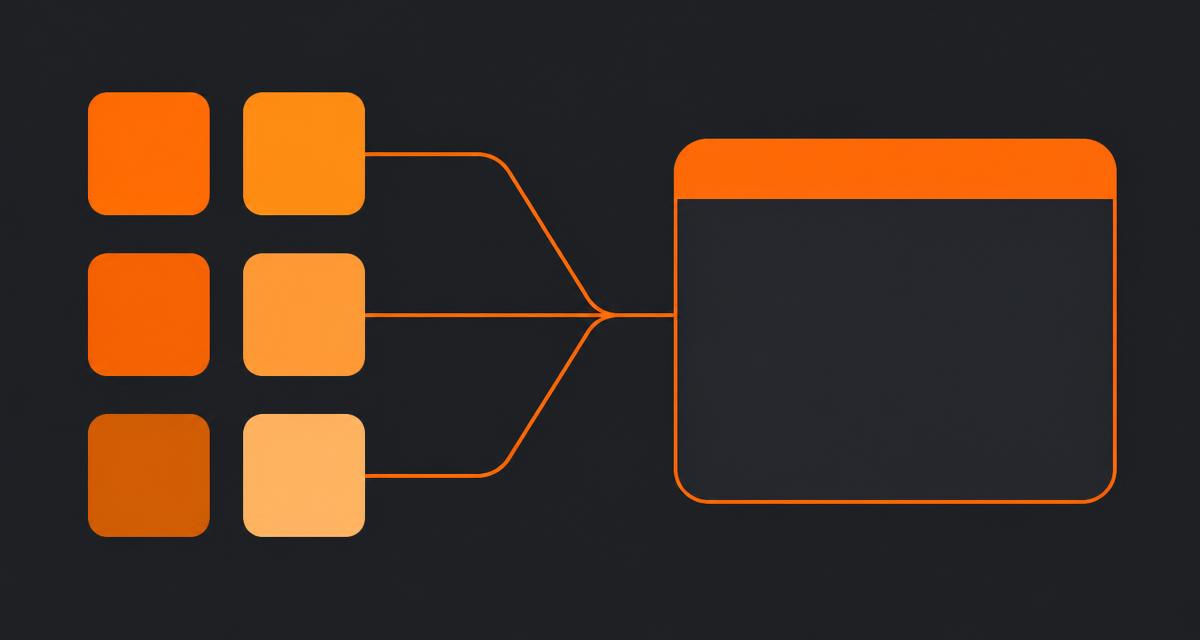
I run RevOps for small B2B teams, and the same invoice pattern shows up every time I audit one: a CRM, a project tool, a task app, a document editor, a file-sharing account, and a portal add-on nobody remembers buying. All in one CRM and project management is the correction to that pattern — one database holding clients, deals, projects, tasks, documents and client access, so a won deal becomes a live project without a sync job in between. This page covers what that consolidation genuinely fixes, what it costs you, and the order to do it in.
Quick answer
All-in-one CRM and project management keeps clients, deals, projects, tasks, documents and client access in a single database, so won deals become live projects without syncing between apps. It suits B2B teams of 5 to 60 doing client delivery, and trades some depth in each module for one permission model and no reconciliation work.
What all-in-one CRM and project management actually means
A CRM tracks people, companies and revenue opportunities. Project management tracks scoped work with a start, a finish and a delivery date. All-in-one means both live in one database, where a company record is the same row whether you're looking at a pipeline or a Gantt view.
That definition matters because two very different products use the same label:
| Type | How it works | Where it fails |
|---|---|---|
| Suite (one database) | Clients, deals, projects, tasks and docs are tables in one schema with one permission model | Feature depth in any single module is shallower than a specialist tool |
| Bundle (many databases) | Separate apps sold together, joined by sync jobs and a shared login screen | Sync lag, duplicate records, permissions that disagree between modules |
Ask a vendor one question to tell them apart: if I rename a client, where does the change appear immediately? In a suite, everywhere, because there's one row. In a bundle, you'll hear the word "sync."
The five-tool tax is paid in minutes, not licences
Licence maths is the argument everyone makes and it's the weaker one. Here's a ten-person consultancy I audited last year, monthly:
- CRM, 10 seats: $500
- Project tool, 10 seats: $290
- Task app, 6 seats: $60
- Document and storage plan: $150
- Client portal add-on: $99
That's $1,099 a month, and consolidating cut it to about $400. Real money. But the bigger number was hiding in their calendar. Two account managers spent a combined 45 minutes a day copying client details between the CRM and the project tool, chasing which document was current, and rebuilding a status update that already existed in three places. At a $95 blended hourly rate that's roughly $1,800 a month in labour, and it produced nothing a client would pay for.
SaaS sprawl at this scale is well documented — Okta's Businesses at Work report has tracked average app counts per company climbing year over year, and small companies aren't exempt. The pattern I see is that tool count grows one urgent purchase at a time, and nobody ever owns the removal.
The handoff problem no integration fixes
Integrations move fields. They don't move context, and context is where client work actually breaks.
Take a signed deal. In a two-tool setup, an automation creates a project and copies the client name, value and close date. What it can't copy is the scoping board the sales conversation produced, the pricing assumption written in the proposal, and the reason the client insisted on a phased rollout. That lives in a canvas, a document and a Slack thread that the project manager never sees.
Six weeks later somebody asks why the retainer excludes migration work, and nobody can find the sentence that decided it.
I've watched this exact failure produce scope disputes on maybe a third of the implementations I've done. The fix isn't a better Zap. It's putting the pipeline, the diagram, the proposal and the tasks in the same place, so the artefacts that explain a decision stay attached to the record the decision was about. That's the argument for project management with a built-in CRM rather than a CRM bolted to a project tool.
The three handoffs to test before you buy
- Deal to project. Win a deal and see how much typing it takes to start delivery. Anything over 60 seconds means the tools aren't really joined.
- Project to client. Share progress with a client without exporting anything. If your answer involves a PDF and an email, the portal is decorative.
- Project back to revenue. Find last quarter's projects that overran, grouped by lead source. If that query needs a spreadsheet, your data is still in two places.
What to audit before you consolidate anything
Consolidation goes wrong when it starts with a migration instead of an inventory. Seven checks, in order, and each one has a decision attached:
- Tool list with real usage. Pull last month's logins per tool, not the seat count you're billed for. Anything with under three active users a week is a candidate for deletion rather than migration.
- Automation inventory. Every Zap, Make scenario, native workflow and email rule. Write down what fires it and what it touches. This is the step teams skip and the step that breaks the quarter.
- Record volume. Companies, contacts, open deals, active projects, open tasks, documents touched in the last 12 months. Round numbers are fine. You need the shape, not the census.
- Permission edge cases. Which clients see what, which contractors are restricted to one project, who can see deal values. Write these down as sentences, then check the new system can express each sentence.
- The one report leadership actually reads. Usually pipeline by stage or utilisation. If the new system can't reproduce it on day one, you'll lose executive support in week two.
- Compliance obligations. Data residency, retention, and whether client contracts specify where files are stored. Cheaper to check now than to discover during a security questionnaire.
- The tool you're keeping. Decide this deliberately. All-in-one doesn't mean one tool total; it means one tool for client work.
The mistake to catch here: teams inventory tools and skip automations, then wonder why invoices stopped going out. Catch it by running your automation list against the last 90 days of activity logs — if something fired, it's load-bearing, whatever anybody claims about it.
How the pieces fit when they share one database
Here's what "one row" buys you concretely. Four modules, one client record:
Boards. The infinite canvas where you map the client's process before you quote it. Swimlanes, flowcharts, org charts, journey maps. Because the board sits on the client record, the scoping diagram from the sales call is still there during delivery — and still there at renewal when somebody asks what changed. If you're comparing canvases specifically, process mapping software for small business goes deeper on notation and precision.
Tasks. Assignees, due dates, dependencies, subtasks, checklists. The distinction that matters: a task inherits the client and project, so "what's open for Northwind" is a filter rather than a report. More on that in CRM with task management.
Docs and files. Proposals, SOPs, meeting notes and uploads, versioned and commentable, filed against the same client. See CRM with document storage for how filing and retention work.
Client portal. A branded workspace where a client sees exactly the boards, docs, files and project updates you publish, and nothing else. This is the module that changes how clients experience you, covered in CRM with a client portal.
The practical test of a shared database is deletion. Archive a client in a suite and their boards, tasks, docs and portal access archive with them. In a bundle, you archive four times and forget the fifth.
Where all-in-one is the wrong call
I'd rather lose the sale than watch a team consolidate into something that can't do their core job. Skip all-in-one if any of these describe you:
- Outbound is your engine. If you're running sequences to thousands of contacts with deliverability monitoring and multi-variant testing, keep a dedicated sales engagement platform. No suite matches that depth, and pretending otherwise costs you pipeline.
- You ship software on sprints. Story points, burndown, branch-linked issues and release trains belong in an engineering tracker. Run client work in the suite and engineering in its own tool, linked by a project reference.
- Compliance dictates architecture. Regulated data residency, e-discovery holds or client-mandated storage locations sometimes force a specific vendor. Architecture follows the contract.
- Finance is already sorted. Accounting stays in accounting software. Every time. Invoices reference the project; they don't live in it.
- You're two people with one client. A shared folder and a spreadsheet genuinely work. Buy the suite when the second client's records start colliding with the first's.
EvronStudio itself has clear edges worth stating: it isn't a marketing automation platform, it doesn't do accounting or invoicing, and its board editor won't replace a dedicated UML modelling tool for a systems architect who lives in that notation. It covers boards, docs, files, tasks, projects, pipeline and client portals for small B2B teams. That's the scope.
A migration sequence that doesn't break the quarter
Two weeks elapsed, roughly 12 to 20 hours of work for a ten-person team. The sequence matters more than the speed.
Days 1–2: freeze and export. Announce a data freeze date for the old tools — read-only after that, no new records. Export companies, contacts, deals, projects, tasks. CSV is fine. Keep the exports; you'll reference them for months.
Days 3–4: clients and deals. Import companies and contacts first, then open deals. Skip closed-lost deals older than 18 months; nobody has ever thanked me for migrating those. Reconcile duplicates now, while the volume is small.
Days 5–7: active projects and open tasks. Only what's live. Completed projects go into an archive export, not the new system. Rebuild your project templates here rather than importing a mess of old task lists — it's faster and the templates are worth having.
Days 8–10: documents that matter. Anything touched in the last 12 months, filed against its client. Older material goes to cold storage with a naming convention. If you need a filing system first, SaaS consolidation for small business has the folder-and-naming pattern I use.
Days 11–12: permissions and portal. Take the permission sentences from your audit and implement them one at a time. Then invite two friendly clients to the portal before the rest — they'll find the confusing part faster than your team will.
Days 13–14: rebuild only live automations. From your inventory, rebuild the ones that fired in the last 90 days. Delete the rest. Then cancel the old subscriptions, because a tool nobody cancelled is a tool somebody will keep updating.
One rule throughout: don't run both systems in parallel for a month. Parallel running feels safe and guarantees that neither system is trusted. Freeze the old one to read-only and commit. A full cost walkthrough of this pattern is in how we replaced 6 SaaS tools with one.
What one login changes in a normal week
Abstract benefits don't help you decide, so here's a week from an agency I work with. Eleven people, 12 active client projects, average project value around $18,000.
Monday morning, before. The account lead opened the CRM to check which renewals were near, the project tool to see which of those projects were behind, and a spreadsheet somebody maintained to reconcile the two. Forty minutes, every Monday, to produce a list that was wrong by Wednesday.
Monday morning, after. One filter: clients with a renewal in the next 60 days and a project flagged at risk. Four names. The list took nine seconds and was right, because "at risk" and "renewal date" are columns in the same database.
Wednesday, before. A client emailed asking where the migration plan had got to. The plan was a diagram in one tool, the decision log was a doc in another, and the current task status was in a third. The project manager spent 25 minutes assembling a reply and still attached the wrong version of the diagram.
Wednesday, after. The client opened their portal and saw the board, the current plan doc, and the task list with dates. No email was sent. That's the part teams underestimate: the win isn't a faster reply, it's the question not being asked.
Friday, before. Utilisation and delivery status came from two exports pasted into a sheet. Somebody spent an hour on it and nobody read it closely, because everyone knew it was two days stale.
Friday, after. A saved view. The hour went back into delivery.
The opinionated bit: if your team does client work, put the client's artefacts on the client's record and accept slightly less depth in each module. I've never seen a small team regret that trade. I've watched several regret buying a best-of-breed stack they needed a contractor to maintain.
Vendor questions that separate suites from bundles
Demos are designed to hide architecture. These six questions surface it, and I ask all of them before I recommend anything:
- "Rename a client in front of me. Where does it not update instantly?" Any pause, any mention of sync intervals, and you're looking at a bundle.
- "Show me a report joining pipeline data with project delivery data." If it needs an export or a BI add-on, the modules don't share a database.
- "What does a restricted external user see by default?" The safe answer is nothing until you publish. Anything else means the portal is a permissions problem waiting to happen.
- "Can I attach a document to both a deal and a project without duplicating the file?" One file, two references, one version history. Duplication here is how v_final_2 gets born.
- "What happens to child records when I archive a client?" Cascade behaviour tells you whether there's real referential integrity underneath.
- "Which of these modules do you consider weakest?" A vendor who can't name one hasn't thought about their product, or is willing to lie to you in month one.
The mistake I see teams make in demos: they evaluate feature checklists instead of running their own worst workflow. Bring your ugliest live client — the one with a paused project, three stakeholders and a scope change — and rebuild them in the trial. You'll learn more in 30 minutes than from a comparison spreadsheet.
Pricing models, and what each one hides
Per-seat pricing dominates, and it quietly punishes exactly the behaviour you want.
| Model | Looks like | What it hides |
|---|---|---|
| Per seat, all modules | One number per user per month | Nothing much. Easiest to forecast. |
| Per seat, per module | Cheap headline price | The modules you need are usually in a higher tier |
| Per seat plus external collaborators | Reasonable internal cost | Charging you to involve clients — the thing that makes the portal useful |
| Usage-based storage | Low base fee | Client video and design files hit the cap faster than anyone plans for |
| Free tier with automation caps | Free | Automation limits bite in month three, right when you've committed |
Two rules I hold to. First, never buy a plan where inviting a client costs money; it guarantees you'll email attachments instead. Second, price the tool at 18 months of headcount, not today's. A per-module bill that looks fine at eight people gets ugly at fifteen.
If a vendor states a price, check it yourself — pricing pages change quarterly and any figure in a blog post, including mine, should be read as "as of the month it was written."
What to measure 60 days after you consolidate
Consolidation projects get judged on vibes unless you pick numbers up front. Four that actually move:
- Time from won deal to first project task. Baseline it before you migrate. I typically see this drop from a day or two to under ten minutes, because the conversion is a button rather than a handoff.
- Client status requests per week. When clients can see progress in a portal, "any update?" emails fall. Half is a realistic target; the teams that publish updates weekly do better than that.
- Records touched per client per week. If your team still updates the same client in two places, consolidation didn't finish. This number should be one.
- Monthly tool spend for client work. Not total software spend — just the tools that hold client data. That's the line consolidation is supposed to move.
Skip adoption dashboards and vanity metrics like logins. If the four numbers above improve, adoption already happened.
The short version
All-in-one CRM and project management is worth it when your client data is the thing being fragmented, and it's the wrong answer when a single function is your competitive edge. Audit before you migrate, move clients before projects, kill the automations nobody can name, and measure deal-to-delivery time rather than seat cost. The teams that treat consolidation as a data project succeed. The ones that treat it as a shopping decision buy a sixth tool.
For notation and standards questions that come up while mapping processes during a migration, the OMG BPMN specification is the reference I hand clients, and NIST's guidance on access control is a sane baseline when you're writing those permission sentences.
Frequently asked questions
- Is an all-in-one CRM and project management tool better than best-of-breed?
- For teams under roughly 25 people, usually yes. Best-of-breed wins when one function is genuinely complex — enterprise sales forecasting, or engineering sprint tracking. Below that size the integration overhead, duplicate records and per-seat cost of five tools cost more than the missing 10% of features in one.
- What should I migrate first when consolidating?
- Move client and deal records first, because everything else references them. Then active projects and their open tasks. Documents and files come last, and only the ones touched in the past year. That order means a half-finished migration still leaves you with a usable system rather than two broken halves.
- Do I lose reporting depth by consolidating?
- You lose some pivot flexibility and gain cross-function reporting you never had. A single database can answer questions like which lead source produces projects that run over schedule. Two connected tools generally cannot, because the join happens in a sync job rather than in the data.
- How long does a small-team consolidation take?
- Plan two weeks of elapsed time and roughly 12 to 20 hours of actual work for a team of ten with three years of history. Most of that is deciding what not to bring across. The import itself is usually a single afternoon.
- What breaks most often during consolidation?
- Automations nobody documented. A Zap that created a task when a deal moved to Won, a shared inbox rule, a spreadsheet somebody keyed by hand. List every automation before you switch, then rebuild only the ones that fired in the last 90 days.
About the author
Sarah Lawson writes for EvronStudio on all-in-one / crm for small B2B teams. Meet the editorial team.
Keep reading
The Complete Tool Stack to Run a Small B2B Business
The exact tools to run a small B2B business in 2026: CRM, delivery, finance, comms and the two you can safely skip. Costs and honest trade-offs included.
All-in-One / CRMSaaS Consolidation for Small Business: A Practical Playbook
A step-by-step SaaS consolidation playbook for small business: how to audit tools, decide what to cut, migrate safely, and avoid breaking your quarter.
All-in-One / CRMHow We Replaced 6 SaaS Tools With One (Cost Breakdown)
A real cost and time breakdown from a 12-person agency that used one workspace to replace multiple SaaS tools with one, cutting spend and reconciliation hours.