
How We Replaced 6 SaaS Tools With One (Cost Breakdown)

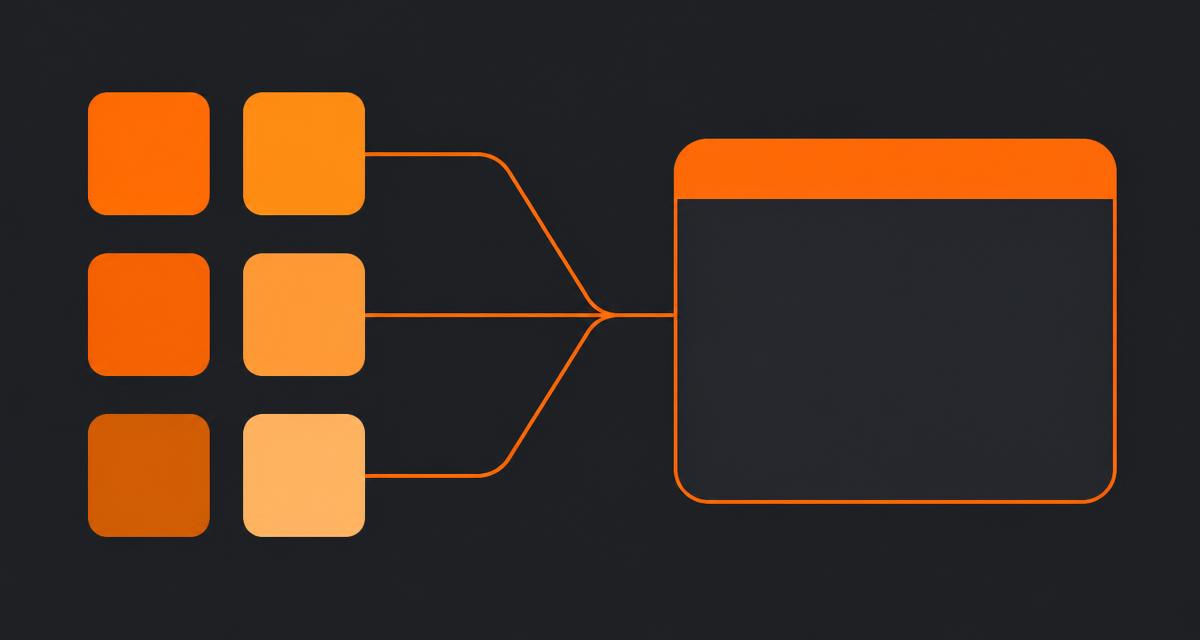
A client of mine, a 12-person brand and web agency, asked me to figure out why their software bill kept climbing while nobody could tell me, in one sentence, what stage their biggest account was at. That conversation is what led us to replace multiple SaaS tools with one system, and this is the actual cost and time breakdown from that migration, not a hypothetical.
Quick answer
Replacing multiple SaaS tools with one workspace cut this 12-person agency's software spend from $1,240 to $420 a month and eliminated roughly 35 hours a month of manual reconciliation across the team. The migration took 16 days and 30 hours of hands-on work. Accounting and email stayed separate — those weren't worth folding in.
The six tools they started with
Here's the stack, audited from actual billing, not from what people remembered signing up for:
| Tool | Function | Seats | Monthly cost |
|---|---|---|---|
| Pipedrive | CRM / pipeline | 12 | $348 |
| Asana | Project and task tracking | 12 | $312 |
| Dropbox Business | File storage | 12 | $240 |
| Toggl | Time tracking | 8 | $72 |
| A client portal add-on (custom-built) | Client-facing status pages | — | $180 flat |
| Zapier | Sync between the above | Team plan | $88 |
Total: $1,240 a month. That's the number every consolidation article leads with, and it's the least interesting one.
The real cost: 35 hours a month nobody had noticed
I asked three account managers to log, for one week, every time they touched a client's information in more than one tool. The pattern:
- Updating a deal in Pipedrive, then manually creating the matching project in Asana — average 8 minutes per deal, about 6 deals a month.
- Checking Dropbox for the current file version because Asana's attached file was two revisions old — happened daily across active projects.
- Rebuilding a status update for a client because it existed as three partial versions across Pipedrive notes, Asana comments and a Dropbox doc.
- Manually updating the custom client portal because it wasn't wired to either Pipedrive or Asana, only to a spreadsheet someone updated on Fridays.
Totalled across the team, that came to just under 35 hours a month — roughly $3,300 at their blended $95 hourly rate. That number, not the licence bill, is what actually justified the migration to the founders. Research on SaaS sprawl backs the pattern: Okta's Businesses at Work report has repeatedly shown app counts rising per employee, and the labour cost of switching between disconnected tools compounds quietly rather than showing up on an invoice.
What we moved, and in what order
We followed the sequence I use on every consolidation, adapted for this team:
- Froze the old tools to read-only after a set date, so nothing new entered a system we were about to retire.
- Exported companies, contacts and open deals from Pipedrive — 340 companies, 58 open deals. Closed-lost deals older than a year were left behind deliberately.
- Migrated active projects and open tasks from Asana — 14 live projects, about 210 open tasks. Completed projects went to a cold archive export instead of the new system.
- Filed the last 12 months of Dropbox documents against their matching client record, organized by the pattern here. Older files stayed in cold Dropbox storage, since nobody had touched them in over a year.
- Rebuilt the client portal natively, replacing the custom-built add-on entirely. This is covered in more depth in CRM with a client portal.
- Audited every Zap before touching anything. We found three nobody remembered: one created a QuickBooks invoice draft when a deal closed, one updated a shared spreadsheet finance used for forecasting, one posted new-deal alerts to Slack. All three got rebuilt as native automations in the new system; nothing got left running blind.
What we deliberately did not touch
Toggl stayed, briefly, until the team decided the new system's built-in time tracking was good enough — that took about six weeks of parallel use before they cancelled it. QuickBooks stayed permanently; accounting software is not a category worth folding into a client workspace, and the invoice automation from Zapier was rebuilt to point at QuickBooks directly rather than replaced. Email stayed on Google Workspace, untouched.
This matters because "replace multiple SaaS tools with one" doesn't mean one tool total. It means one tool for the client-facing work that was generating duplicate records, and specialist tools kept for the functions that actually need them. Tools to run a small B2B business covers which categories are and aren't worth consolidating in more general terms.
The migration timeline
| Days | Work |
|---|---|
| 1–2 | Freeze old tools, export all data, announce cutover date to the team |
| 3–5 | Import companies, contacts, open deals; reconcile duplicates |
| 6–9 | Migrate active projects and open tasks; rebuild project templates |
| 10–12 | File the last 12 months of documents against client records |
| 13–14 | Rebuild the client portal and invite two friendly clients first |
| 15–16 | Rebuild only the automations that fired in the last 90 days; cancel old subscriptions |
The result three months later
Software spend: $420 a month, down from $1,240 — one workspace plan plus QuickBooks and Google Workspace. Reconciliation time, measured the same way as before by having the same three account managers log a week: down to about 6 hours a month, mostly time spent on genuinely new work rather than copying data between systems.
The number the founders cared about most wasn't the licence saving. It was that a partner could open one client record during a call and see the deal history, the current project status, the last document shared, and the portal the client was looking at — without switching tabs. That's the actual argument for all-in-one CRM and project management: one row per client, not six.
Would I recommend this to every agency?
Not every one. If your engine is cold outbound at volume, or your delivery work is genuinely complex software engineering with sprint velocity tracking, a suite like this trades away depth you need. This agency ran short, well-scoped client engagements with no outbound sequencing and no engineering sprints, which is exactly the profile where consolidation is a clean win rather than a compromise. If you're not sure which profile you're in, SaaS consolidation for small business has the audit questions to ask before you commit to a migration like this one.
Frequently asked questions
- How much can a small business realistically save by consolidating SaaS tools?
- In the case here, direct licence cost dropped from $1,240 to $420 a month for a 12-person team, a 66% cut. The larger saving was roughly 35 hours a month of reconciliation and re-entry work across the team, worth more than the licence savings at almost any blended rate.
- How long does it take to replace multiple SaaS tools with one system?
- This migration took 16 days elapsed and about 30 hours of hands-on work for a 12-person team with three years of CRM and project history. Most of the time went into deciding what data not to migrate, not into the technical import.
- What did we decide NOT to consolidate?
- Accounting software and email stayed separate. Neither benefited from being folded into a client workspace, and both have compliance and audit requirements better served by dedicated, specialist tools.
- What's the biggest risk when replacing multiple tools with one?
- Losing an undocumented automation. We found three Zaps nobody remembered building — one created invoices, one updated a shared spreadsheet, one posted to Slack. Skipping the automation inventory step is the single most common cause of a rocky consolidation.
- Do you lose any capability by consolidating six tools into one?
- Yes, some. Deep sales sequencing and enterprise Gantt features aren't matched by a suite. For this agency neither mattered — they ran short client engagements without cold outbound sequences or 200-task dependency chains, so the trade-off was a clean win.
About the author
Sarah Lawson writes for EvronStudio on all-in-one / crm for small B2B teams. Meet the editorial team.
Part of our guide to All-in-One CRM and Project Management: One Login for Everything.
Keep reading
The Complete Tool Stack to Run a Small B2B Business
The exact tools to run a small B2B business in 2026: CRM, delivery, finance, comms and the two you can safely skip. Costs and honest trade-offs included.
All-in-One / CRMSaaS Consolidation for Small Business: A Practical Playbook
A step-by-step SaaS consolidation playbook for small business: how to audit tools, decide what to cut, migrate safely, and avoid breaking your quarter.
All-in-One / CRMCRM With a Client Portal: Let Clients See What Matters
How a CRM with a client portal works, what it should include, and how to roll it out without exposing internal notes. A practical guide for small B2B teams.