
The Complete Tool Stack to Run a Small B2B Business

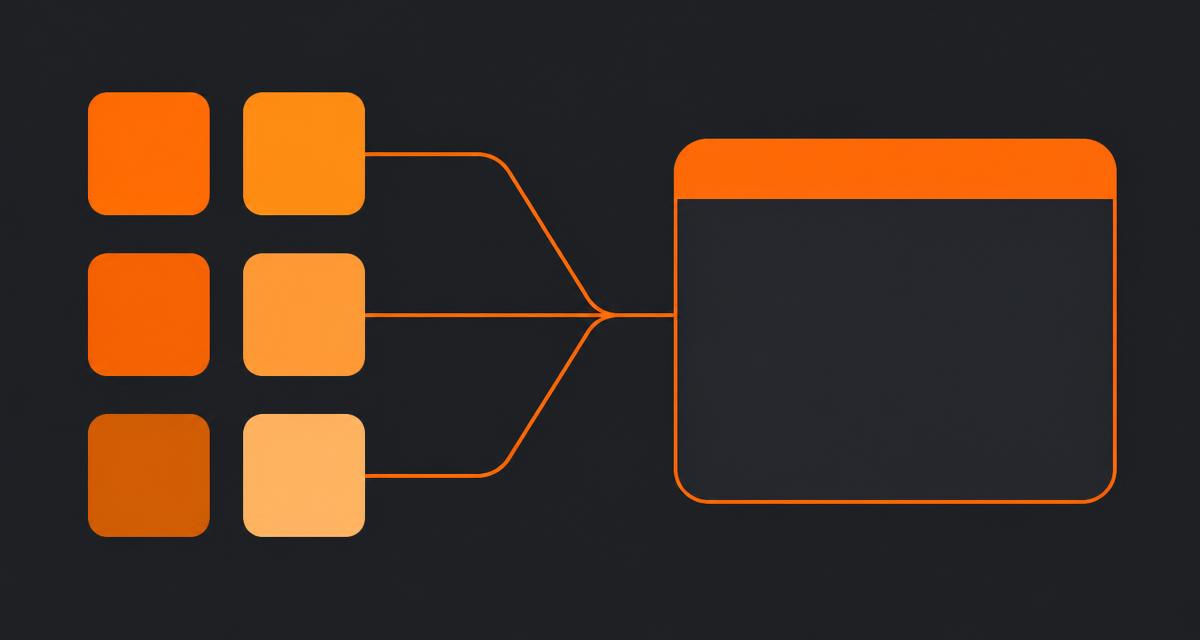
I get asked some version of "what software do I actually need" by almost every founder I consult with, usually right after they've bought their fourth tool this year. Tools to run a small B2B business fall into six real categories, not the twenty apps most stacks accumulate by accident. This is the list I hand clients, with the honest trade-offs and what each category costs.
Quick answer
A small B2B business needs six tool categories: CRM, project/task delivery, documents and files, accounting, communication, and scheduling. Most teams under 25 people can cover CRM through client portal in one suite and keep accounting and email as dedicated specialist tools. Budget $60–150 per seat per month for the full stack.
1. A real CRM
Not a spreadsheet, not your email inbox with labels. A CRM tracks companies, contacts, deals and their stage, and it should answer "what's my pipeline worth this quarter" in one click. HubSpot's CRM is the default reach for many small teams, and it's genuinely good at marketing-led pipelines. Where it gets expensive fast is once you add sales, service and marketing hubs together — the free tier ends quickly for a team doing real client delivery, which is why I usually point consultancies at a HubSpot alternative for small business that keeps CRM and delivery in the same product.
The keyword here — tools to run a small b2b business — always starts with this decision, because everything downstream references the client record a CRM creates.
What a CRM must do, minimum
- Track deal stage and value with a pipeline view, not just a contact list.
- Log activity (calls, emails, notes) against the company, automatically where possible.
- Let you filter "clients with no activity in 30 days" without exporting to a spreadsheet.
2. Project and task delivery
Once a deal closes, work starts. This category is the one most likely to be a second, disconnected tool — and the handoff between "won deal" and "active project" is where I've seen more scope disputes than anywhere else in a consultancy's operations. Asana, Trello and ClickUp are all capable task tools; none of them know who the client is unless you build that link yourself with a Zap.
3. Documents, files and process maps
This is the gap. Ask ten small B2B founders where their SOPs live and six will pause. Proposals, onboarding checklists, process diagrams for how work actually gets done — these end up scattered across Google Drive, Notion, and someone's desktop. When that someone leaves, the knowledge leaves with them. A structured docs layer attached to the client record, not a general-purpose wiki, closes this gap. See how to organize company documents for the filing pattern I use with clients.
Why a process diagram belongs here, not in a separate app
A flowchart of your client onboarding process is only useful if the person running onboarding can find it in under ten seconds. Filed against the client record, it's one click away. Filed in a personal Lucidchart account, it's gone the day that person is out sick.
4. Accounting and invoicing
Keep this separate, always. QuickBooks and Xero do this well, and no CRM or project suite should try to replace double-entry bookkeeping, tax reporting or bank reconciliation. The integration you want is simple: your project or CRM tool triggers an invoice reference, and the invoice itself lives in accounting software built and audited for that purpose. The SBA's guidance on managing business finances is a good baseline if you're setting this up from scratch.
5. Communication
Email and a team chat tool — Slack or Microsoft Teams. This category rarely needs consolidation into your CRM; what it needs is discipline about what lives where. Decisions and scoping notes belong in a document attached to the client record, not buried in a Slack thread that scrolls away in a week.
6. Scheduling
A booking link — Calendly or a built-in scheduler — removes the back-and-forth of finding a meeting time. Small, but it's the tool most likely to get skipped by a two-person team and then missed the moment you're fielding five discovery calls a week.
What ties categories 1, 2, 3 and the client portal together
Here's the trade-off table I walk clients through when deciding how many separate tools to run:
| Approach | Cost pattern | Where it wins | Where it costs you |
|---|---|---|---|
| Best-of-breed per category | Sum of individual seat prices, often $150–300/seat at scale | Maximum depth in each function | Sync jobs, duplicate records, no cross-tool reporting |
| Suite for client-facing work + separate accounting/email | $60–120/seat typically | One client record for CRM, projects, docs, portal; specialist tools where they matter most | Somewhat less depth in any one module than a dedicated best-of-breed tool |
| Spreadsheets and free tiers | Near $0 | Fine below 2 clients | Breaks the moment two clients' data starts colliding |
I've run this comparison across 30+ CRM implementations, and the second row is the right call for the large majority of B2B teams under 25 people doing recurring client work. It's the model EvronStudio is built around: CRM, boards, tasks, docs and a client portal in one database, accounting and email kept as dedicated tools next to it.
The two categories most small teams buy too early
Marketing automation platforms. Below roughly 500 active contacts, the native email sequencing in a decent CRM covers what a $400/month automation platform is sold for. I've turned off more unused Marketo and Pardot licences than I can count.
Dedicated BI dashboards. A well-designed pipeline report inside your CRM, refreshed automatically because it's the source data, beats a Looker or Tableau dashboard that nobody maintains after month three. Buy BI tooling when you have a data team to feed it, not before.
Rough monthly cost by team size
- 2–5 people: $200–500/month total. CRM and delivery in one free or entry-tier suite, plus accounting, email is likely already covered by a workspace subscription.
- 6–15 people: $600–1,800/month. This is where sprawl typically sets in — audit here before adding, not after.
- 16–30 people: $1,500–4,000/month, and the point where a genuine cost-benefit case for consolidation shows up in the numbers, not just in team frustration.
How to decide what you're missing right now
Run this check: list every client-facing task your team did last week — a proposal, a status update, a file share, a kickoff call. For each one, name the tool it lived in. If you get more than four different tools for four activities involving the same client, you have a stack problem, not a feature problem. How many software tools does a small business need walks through the number that actually correlates with productivity rather than the number vendors want you to believe you need.
If you're actively planning a cut-down, SaaS consolidation for small business has the audit and migration sequence, and replacing multiple SaaS tools with one has a real cost breakdown from a team that did it.
The stack I'd build from zero today
If I were starting a 10-person B2B consultancy from nothing this quarter: one suite for CRM, projects, tasks, docs and client portal, Xero for accounting, Slack for comms, and Calendly for scheduling. Five tools, five logins, one client record shared across four of them. That's the whole list — resist the urge to add a sixth until something on this list is genuinely failing you.
Frequently asked questions
- What tools does a small B2B business actually need to start?
- Six categories cover it: a CRM for pipeline, a delivery tool for projects and tasks, a document and file system, accounting software, a comms tool, and something for scheduling. Everything past those six is either a nice-to-have or a sign you're duplicating something you already own.
- Should I use one all-in-one tool or best-of-breed for each category?
- For teams under about 25 people doing client delivery, one suite covering CRM, projects, tasks, docs and client portal usually wins on total cost and data quality. Keep accounting and email as separate specialist tools regardless of size — those two rarely benefit from consolidation.
- How much should a 10-person B2B business budget for software?
- In my audits, $60 to $150 per seat per month is typical across the full stack, including accounting and email. Below $40 per seat you're usually missing a category, most often a real CRM. Above $200 per seat you're usually paying for tools nobody logs into.
- What's the most commonly missing tool in a small B2B stack?
- A shared, structured place for client documents and process diagrams. Most small teams have a CRM and a task list but scoping documents, SOPs and process maps live in someone's personal Google Drive, which becomes a real liability the day that person leaves.
- What tools can a small B2B business skip entirely?
- Marketing automation platforms and dedicated BI dashboards, in most cases. Below roughly 500 contacts, a CRM's native email sequences do the job a $400/month automation platform is sold for, and a well-built pipeline report beats a BI tool nobody maintains.
About the author
Sarah Lawson writes for EvronStudio on all-in-one / crm for small B2B teams. Meet the editorial team.
Part of our guide to All-in-One CRM and Project Management: One Login for Everything.
Keep reading
SaaS Consolidation for Small Business: A Practical Playbook
A step-by-step SaaS consolidation playbook for small business: how to audit tools, decide what to cut, migrate safely, and avoid breaking your quarter.
All-in-One / CRMHow We Replaced 6 SaaS Tools With One (Cost Breakdown)
A real cost and time breakdown from a 12-person agency that used one workspace to replace multiple SaaS tools with one, cutting spend and reconciliation hours.
All-in-One / CRMCRM With a Client Portal: Let Clients See What Matters
How a CRM with a client portal works, what it should include, and how to roll it out without exposing internal notes. A practical guide for small B2B teams.